AutoEvaluation
Reliable Results at the Click of a Button
Smart Evaluation for Fast, Reproducible Results
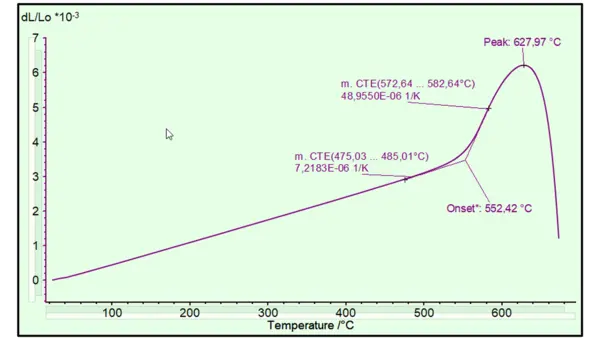
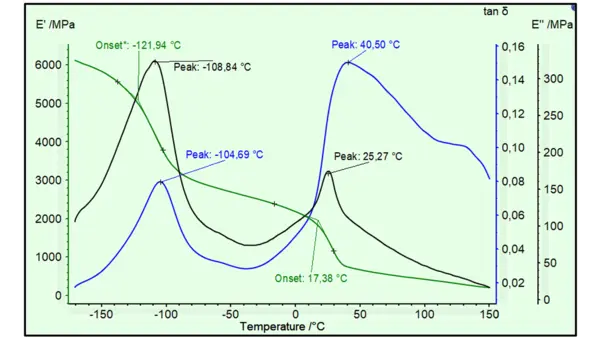
AutoEvaluation is the first self-operating evaluation function that autonomously finds and evaluates effects in thermal analysis measurement curves of DSC, TGA, DIL/TMA and DMA types.
With one click in Proteus® analysis or even automatically once a measurement has finished, caloric effects such as melting or CrystallizationCrystallization is the physical process of hardening during the formation and growth of crystals. During this process, heat of crystallization is released.crystallization peaks, Glass Transition TemperatureThe glass transition is one of the most important properties of amorphous and semi-crystalline materials, e.g., inorganic glasses, amorphous metals, polymers, pharmaceuticals and food ingredients, etc., and describes the temperature region where the mechanical properties of the materials change from hard and brittle to more soft, deformable or rubbery.glass transitions or mass changes are evaluated by means of intelligent mathematical algorithms. AutoEvaluation results are time-saving and user-independent, making them helpful for beginners and experienced users alike who can utilize the result as a second opinion.
Since several functions like “Polymer” or “SinteringSintering is a production process for forming a mechanically strong body out of a ceramic or metallic powder. Sintering Steps” exist, AutoEvaluation can be adapted to the particular application. The user can customize which evaluations done by AutoEvaluation should be displayed and which properties of these evaluations (like peak area, onset temperature, …) should be shown. Last but not least, the results of AutoEvaluation can be revised by the user – if desired.
Overview of AutoEvaluation functions:
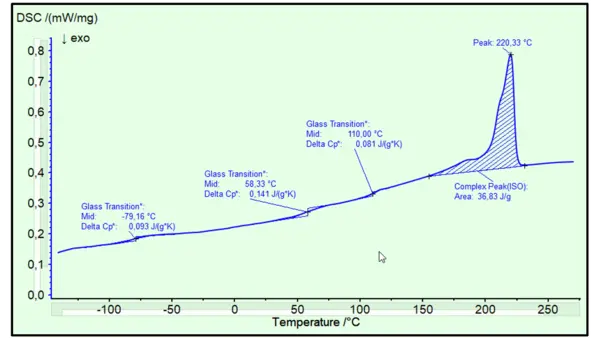
DSC/STA:
- Polymer
- Polymer Bld./Mix.
- Metal Melting Temperatures and EnthalpiesThe enthalpy of fusion of a substance, also known as latent heat, is a measure of the energy input, typically heat, which is necessary to convert a substance from solid to liquid state. The melting point of a substance is the temperature at which it changes state from solid (crystalline) to liquid (isotropic melt).Melting
- Endo Exo Effects
- Endo Exo During Mass Changes
- Oxidative-Induction Time (OIT) and Oxidative-Onset Temperature (OOT)Oxidative Induction Time (isothermal OIT) is a relative measure of the resistance of a (stabilized) material to oxidative decomposition. Oxidative-Induction Temperature (dynamic OIT) or Oxidative-Onset Temperature (OOT) is a relative measure of the resistance of a (stabilized) material to oxidative decomposition.OIT (static & dynamic)
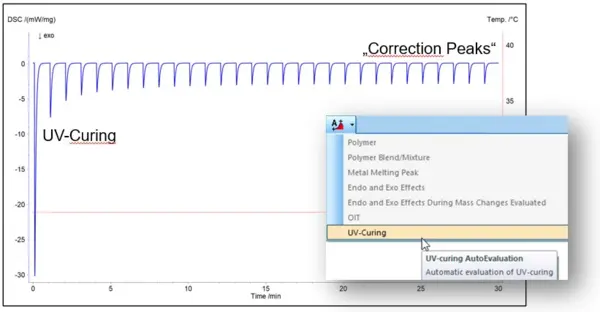
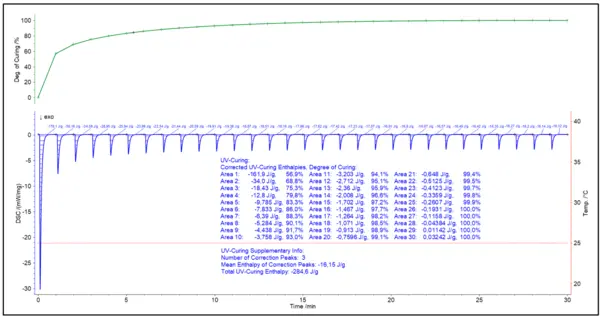
- UV Curing
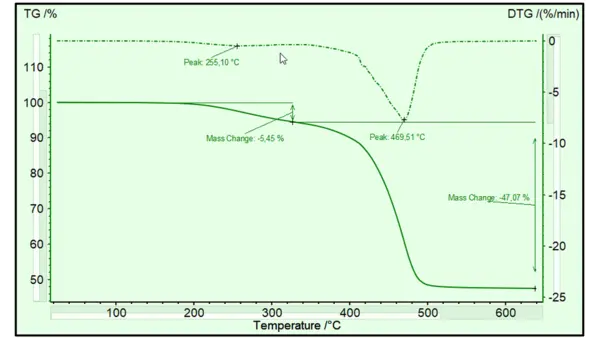
TGA/STA
- Mass Changes
- Peaks in DTG
DIL/TMA:
- Glass Transitions
- SinteringSintering is a production process for forming a mechanically strong body out of a ceramic or metallic powder. Sintering Steps
- Metal Melting Temperatures and EnthalpiesThe enthalpy of fusion of a substance, also known as latent heat, is a measure of the energy input, typically heat, which is necessary to convert a substance from solid to liquid state. The melting point of a substance is the temperature at which it changes state from solid (crystalline) to liquid (isotropic melt).Melting
DMA:
- Glass Transitions (onsets in E‘, peaks in E‘‘ and tanδ)
AutoEvaluation in Practice
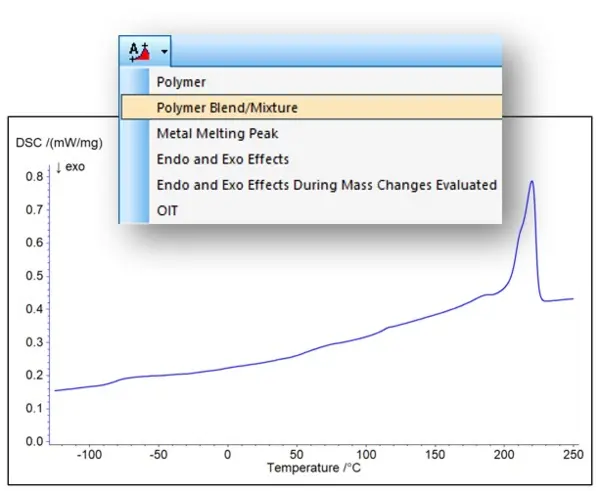
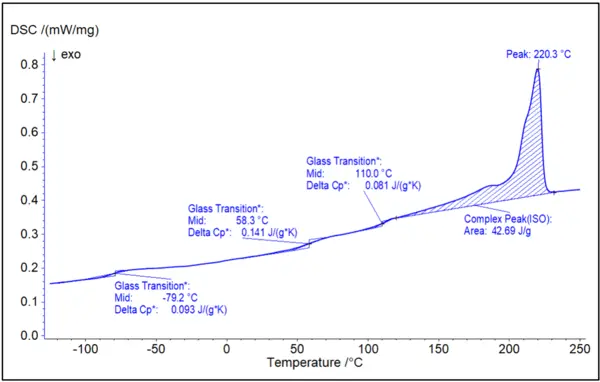
AutoEvaluation DSC Polymer Blend/Mixture “PA6-ABS”
AutoEvaluation for UV Curing
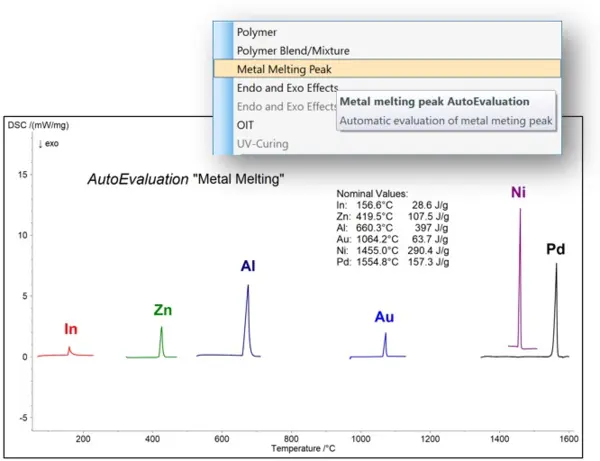
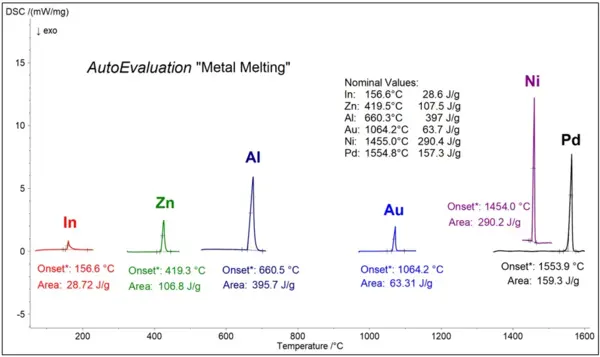
AutoEvaluation “Metal Melting”
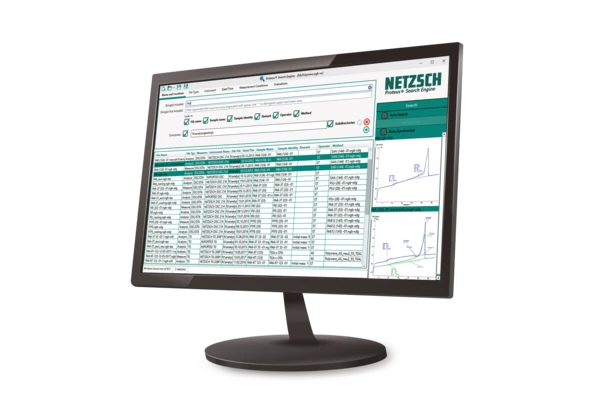
Customization to Fit Your Needs
- The user defines which evaluations should be displayed and which properties of these evaluations (like peak area, onset temperature, …) should be shown
- Evaluation thresholds can be adjusted by a sensitivity parameter
- Offers editable results, giving users full control over refinement and reporting
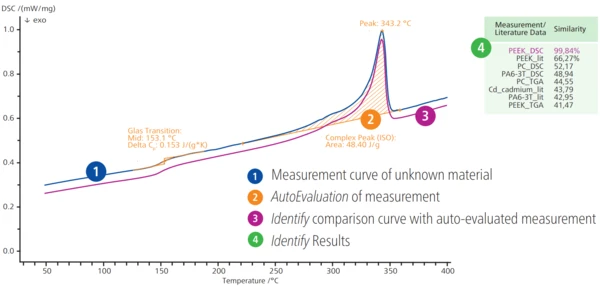
Ideal Starting Point for Identify
AutoEvaluation also prepares your signals for further interpretation in Identify. By detecting relevant effects and structuring the data accordingly, it enables more precise material identification.